
Campaigns
Schedule and launch a Campaign safely
Sending a Campaign affects real customers. Never skip the final review.
Before you start
Log in to the correct workspace and have the necessary permissions according to your role. Use only valid data and communication.
Step-by-step instructions
Follow these steps in order. You can keep this guide open while working in another Tautiva tab.
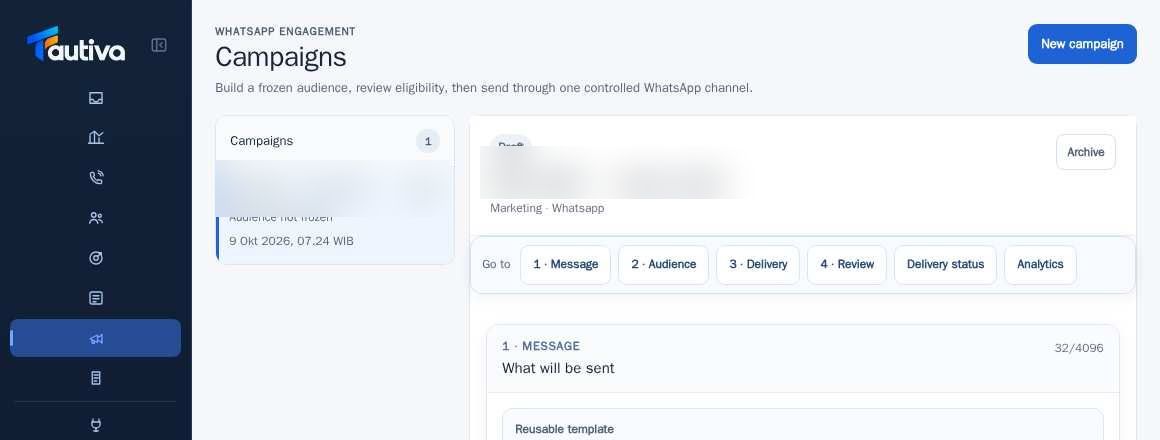
Open Campaigns and select the approved draft.
Complete the Message, Audience, and Delivery stages with the correct WhatsApp channel.
Check the Ready status only after freezing the audience and previewing personalization correctly.
If there is a scheduling setting, choose the date/time according to customer communication permissions.
Review the sending rate limit and channel rules before starting.
Only start or send the command if the authorities approve the target recipient and message content.
Monitor the Delivery status, including failed, blocked, and cancelled.
PRACTICAL EXAMPLE
Example from daily work
Example: the service information campaign is only for customers who have requested notifications.
This is a fictional training example. No real customer data was used.
Expected result
Steps and results can be reviewed in the relevant module; send/save actions require SOP and permission.
Important notes
- Creating a draft, marking as ready, and starting are three different actions.
- Do not run a Campaign for testing on a real customer list.
If something goes wrong
- Mark ready is pending: check for empty variables, consent, channel, and freeze.
- Start is not available: check status, permissions, and scheduling time.
This guide describes the interface reviewed on 13 October 2026. Documentation testing did not send real messages, invite users, process payments, or modify real customer records.