
Start using Tautiva
Understand your workspace and sidebar
A workspace is a separate team or company environment for customers, channels, and work.
Before you start
You have logged in to the workspace and have the necessary permissions.
Step-by-step instructions
Follow these steps in order. You can keep this guide open while working in another Tautiva tab.
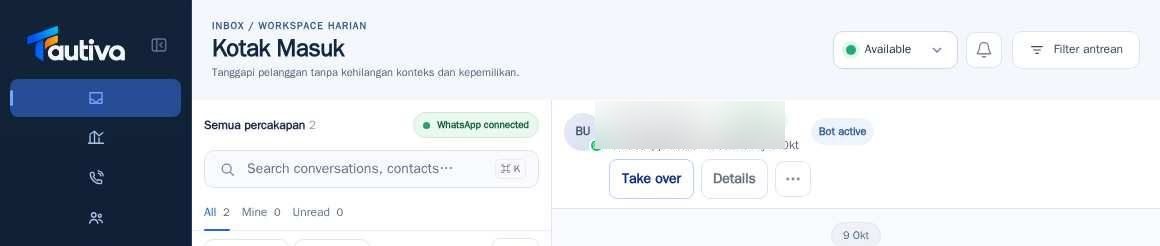
After logging in, look at the menu on the left side of the screen.
Click on the menu name to switch pages without leaving your account.
At the bottom of the menu, open the account and workspace button to view the workspace identity.
Make sure the workspace name matches the team you are working with.
If a certain menu does not appear, it is likely that your account permissions do not include that menu.
PRACTICAL EXAMPLE
Example from daily work
Example: one company has separate Sales and CS teams on different workspaces; the agent ensures the correct workspace name before accessing data.
This is a fictional training example. No real customer data was used.
Expected result
Changes or information are displayed on the screen according to the actions taken.
If something goes wrong
- Incorrect workspace? Do not change the data; ask the administrator to check access.
This guide describes the interface reviewed on 13 October 2026. Documentation testing did not send real messages, invite users, process payments, or modify real customer records.