
Sales
Use Mine, Due today, Overdue, and No next action filters
Sales filters help prioritize work without modifying or deleting records.
Before you start
Login to the correct workspace and have the necessary permissions according to your role. Use only valid data and communication.
Step-by-step instructions
Follow these steps in order. You can keep this guide open while working in another Tautiva tab.
Open the Sales menu and use the List view if you prefer to read rows.
Click All to view all opportunities you are allowed to see.
Click Mine for opportunities that are your responsibility.
Use Due today for activities due today, and Overdue for overdue ones.
Select No next action for opportunities that do not have a scheduled follow-up.
Return to All if an opportunity does not appear because a filter is active.
PRACTICAL EXAMPLE
Example from daily work
Example: every morning, the sales agent opens Due today and then No next action before contacting new prospects.
This is a fictional training example. No real customer data was used.
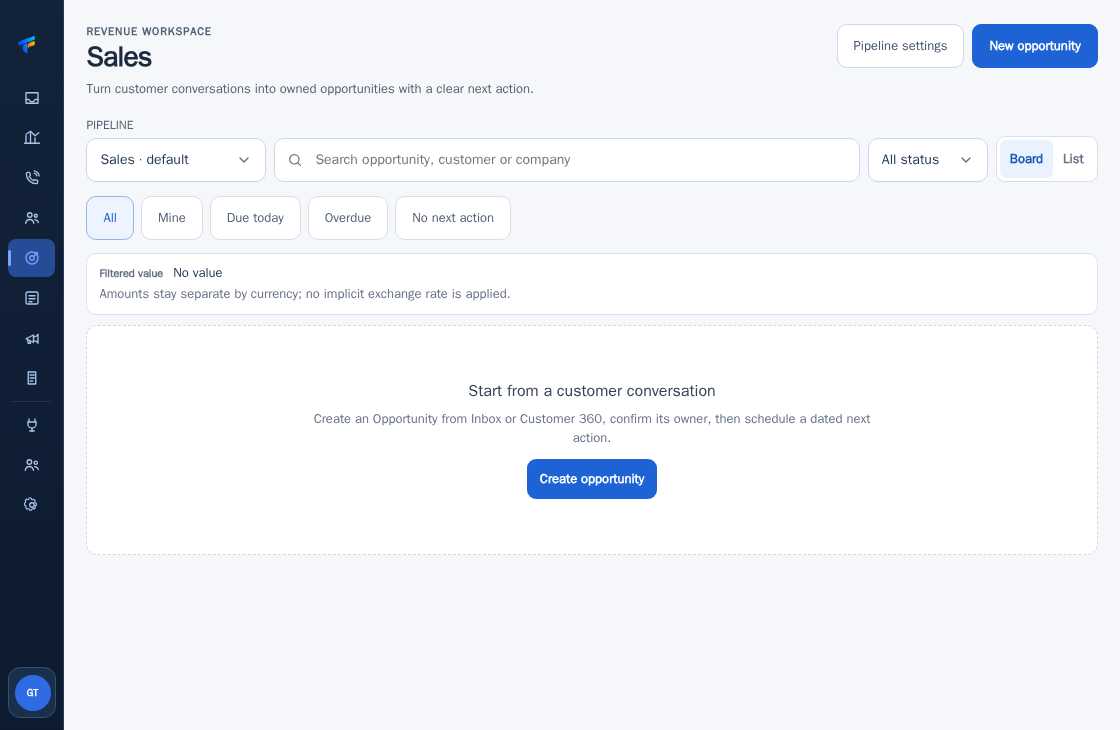
Expected result
Steps and results can be reviewed in the relevant module; send/save actions require SOP and permission.
Important notes
- The Filtered value does not guarantee that a sale will occur.
- Transaction values in different currencies are not combined with estimated exchange rates.
If something goes wrong
- Empty list: check the pipeline status and active filters.
- No value in KPI: the opportunity may not have a nominal value yet.
This guide describes the interface reviewed on 13 October 2026. Documentation testing did not send real messages, invite users, process payments, or modify real customer records.