
Contact Center
Claim, release, and transfer calls
Confirm the current call owner and status before transferring or releasing a call.
Before you start
Access to the workspace and the correct role.
Step-by-step instructions
Follow these steps in order. You can keep this guide open while working in another Tautiva tab.
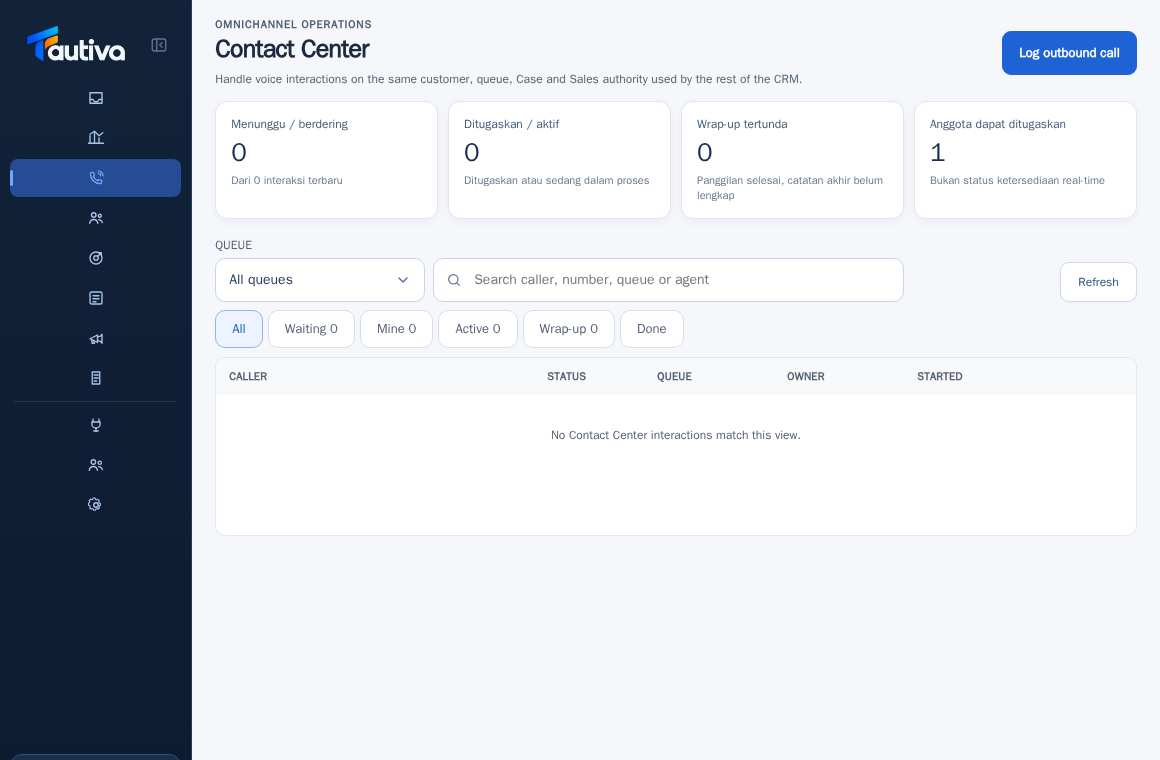
Open the Contact Center and find the relevant interaction.
Select the interaction row and read the status, Queue, and Owner.
If the role and status allow, use the claim control to take the work yourself.
If it must be transferred, ask a supervisor to use the transfer control and specify an active member who can receive it.
Check the new owner after the change and convey the interaction context through internal mechanisms.
Do not perform a transfer on an interaction that has already ended.
PRACTICAL EXAMPLE
Example from daily work
Example: the agent forwards the contract question to the supervisor without deleting the call history.
This is a fictional training example. No real customer data was used.
Expected result
You will know the safe steps and the results to be checked, without modifying the data before the procedure is approved.
Important notes
- Transferring ownership does not mean the call starts again from scratch.
- Actions depend on the interaction status, permissions, and channel readiness.
If something goes wrong
- The transfer option is not available: check the role and whether the interaction has ended.
- Cannot select an agent: check membership, queue, and permissions.
This guide describes the interface reviewed on 13 October 2026. Documentation testing did not send real messages, invite users, process payments, or modify real customer records.