
Contact Center
Review supervisor intervention history
Activity history helps supervisors understand who changed assignments or intervened in a queue.
Before you start
Access to the workspace and the correct role.
Step-by-step instructions
Follow these steps in order. You can keep this guide open while working in another Tautiva tab.
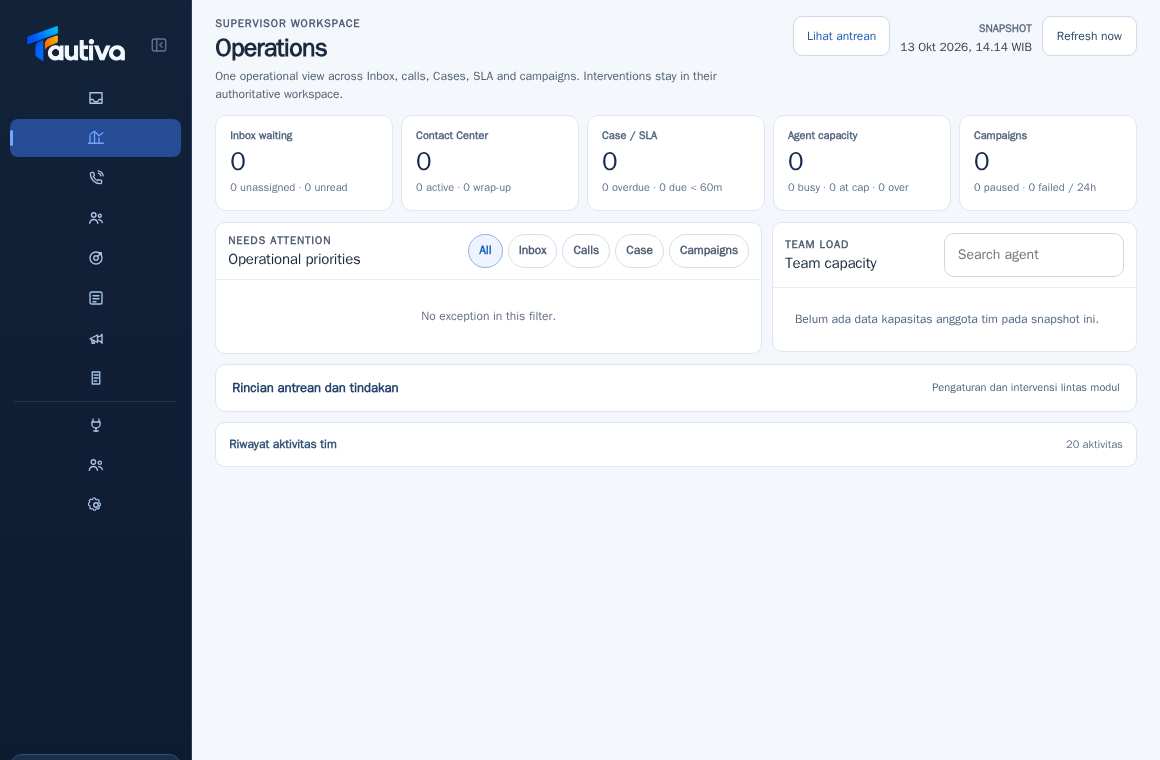
Open Operations and then find the Team Activity History section.
Open the expandable summary if available.
Check the time, type of action, and source module.
Compare the actions with the customer's condition or the Case being handled.
Use the link to the source module if there are additional details.
If there are unknown actions, contact the admin for audit verification, rather than directly blaming the officer.
PRACTICAL EXAMPLE
Example from daily work
Example: the supervisor checks the reason for a conversation being transferred to a queue during busy hours.
This is a fictional training example. No real customer data was used.
Expected result
You will understand the safe steps and the results that need to be checked, without modifying the data before the procedure is approved.
Important notes
- Not all activities are customer responses; some are administrative actions.
- The history is required for audits, so do not attempt to delete or rewrite evidence.
If something goes wrong
- Activities do not appear: check the range and filter if available.
- You cannot access details: audit rights may be limited.
This guide describes the interface reviewed on 13 October 2026. Documentation testing did not send real messages, invite users, process payments, or modify real customer records.