
Contact Center
Complete call wrap-up notes
A call wrap-up records the outcome so the next agent knows what happened.
Before you start
Access to the workspace and the correct role.
Step-by-step instructions
Follow these steps in order. You can keep this guide open while working in another Tautiva tab.
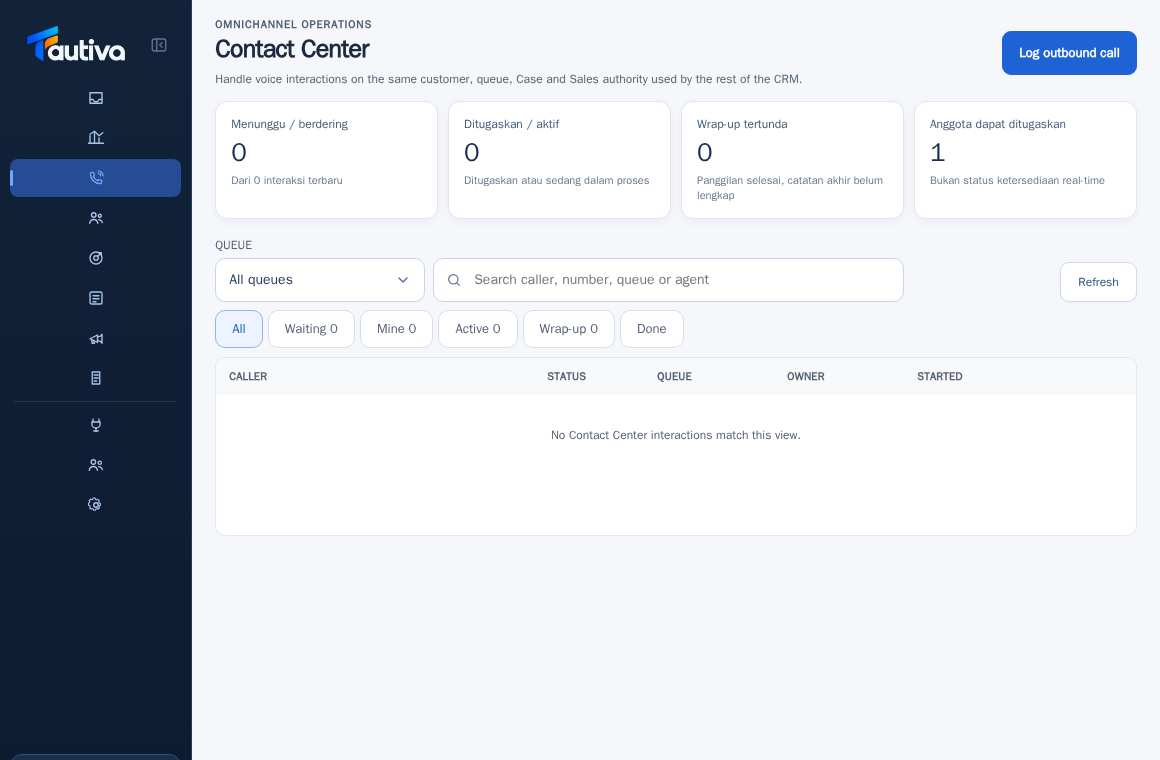
Open Contact Center and select the Wrap-up filter.
Select the interaction waiting for the final note.
Read the customer summary and actions during the call.
Look for the disposition/call result and fill in the summary if the feature is available for your role.
Fill in the verifiable results, follow-up needs, and relation to Case or Sales if required.
Save through the displayed control and check if the item moves from Wrap-up to Done.
PRACTICAL EXAMPLE
Example from daily work
Example: the customer requests a demo next week; the interaction ends with a scheduled Sales follow-up.
This is a fictional training example. No real customer data was used.
Expected result
You will know the safe steps and the results to be checked, without modifying the data before the procedure is approved.
Important notes
- Do not save wrap-up just to empty the queue.
- The final note should reflect the actual events and not contain excessive information.
If something goes wrong
- No disposition matches the condition: ask the supervisor to check the Contact Center settings.
- Wrap-up is rejected: check the mandatory columns and authority.
This guide describes the interface reviewed on 13 October 2026. Documentation testing did not send real messages, invite users, process payments, or modify real customer records.