
Contact Center
Link calls to Customers, Cases, or Sales
Link call records to the correct customer so voice and WhatsApp interactions stay together.
Before you start
Access to the workspace and the correct role.
Step-by-step instructions
Follow these steps in order. You can keep this guide open while working in another Tautiva tab.
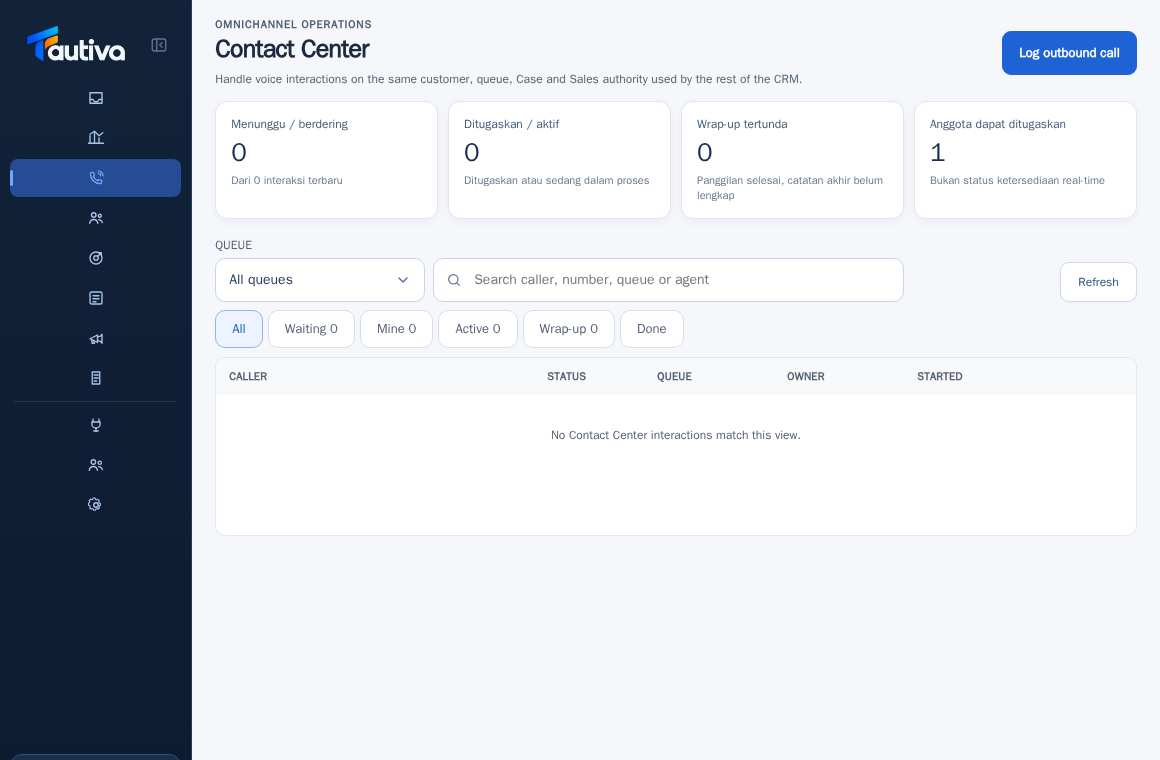
Open Contact Center and select the correct customer interaction.
Check the customer's identity in the details section.
If there is an option to link to a Case or Opportunity, choose an existing record before creating a duplicate.
Ensure the customer in the interaction matches the customer in the Case/Sales.
Complete the wrap-up and follow-up activities as needed.
Open Customers to check the combined communication history if the feature is available.
PRACTICAL EXAMPLE
Example from daily work
Example: the customer calls after previously opening a WhatsApp Case; use the same Case if the problem is the same.
This is a fictional training example. No real customer data was used.
Expected result
You will know the safe steps and the results to be checked, without modifying data before the procedure is approved.
Important notes
- Avoid creating a new Customer just because they come from a different channel.
- Different numbers or technical identities do not always mean a different person.
If something goes wrong
- The desired Case is not found: check the customer, workspace, and permissions.
- Activities are not visible in Sales: ensure the opportunity and its association are correct.
This guide describes the interface reviewed on 13 October 2026. Documentation testing did not send real messages, invite users, process payments, or modify real customer records.