
Collections
Review payment claims and invoice exceptions
Reconciliation exceptions require human review. Imported CSV data alone does not prove payment.
Before you start
Access to independent review and auditable payment evidence.
Step-by-step instructions
Follow these steps in order. You can keep this guide open while working in another Tautiva tab.
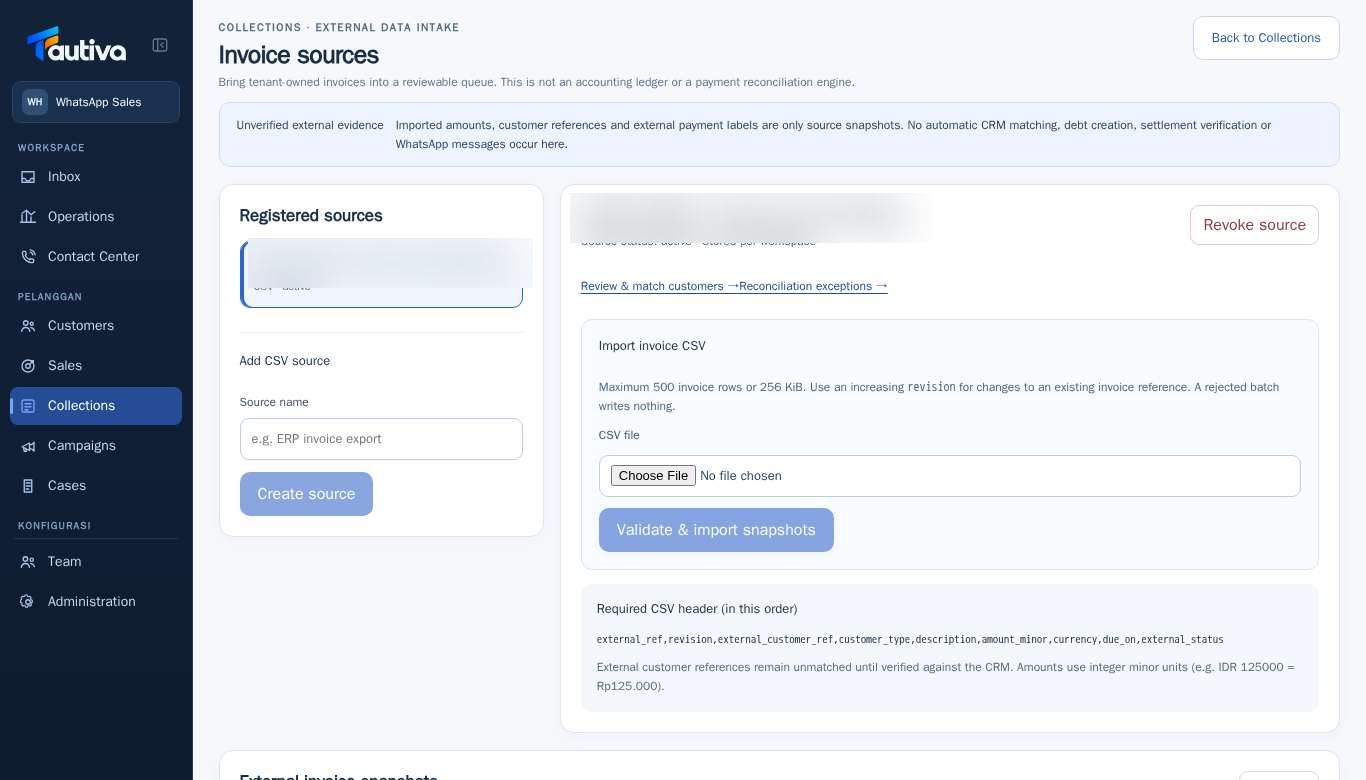
Open Collections > External invoice sources and select the active source.
Click Reconciliation exceptions →.
Select the invoice or exception that needs to be reviewed.
Compare the payment label from the source with the official company/bank evidence.
Record the review decision according to the available options and internal SOP.
Do not change the status to verified payment if evidence is not yet available.
PRACTICAL EXAMPLE
Example from daily work
Example: The customer claims to have transferred, but the transfer proof has not been received. The reviewer withholds the final decision until there is matching proof.
This is a fictional training example. No real customer data was used.
Expected result
Exceptions are reviewed with evidence, not assumed as paid.
Important notes
- The external paid status remains unverified until valid evidence is available.
- Tautiva is not a bank settlement machine or a replacement for bookkeeping.
If something goes wrong
- Transfer evidence is not available? Maintain the unverified status until valid records are available.
This guide describes the interface reviewed on 13 October 2026. Documentation testing did not send real messages, invite users, process payments, or modify real customer records.