
Team & administration
Find AI settings and billing information
AI settings depend on your plan, permissions, and enabled features. Credentials and billing require separate safeguards.
Before you start
Administrator access according to role and entitlement; AI panel only appears if feature flag and feature rights allow.
Step-by-step instructions
Follow these steps in order. You can keep this guide open while working in another Tautiva tab.
Open Administration and check Available product features to see if AI Assistant is enabled in the workspace.
If available, open Channels via the side menu or the Channels link in Administration; select the WhatsApp channel belonging to your workspace.
If the AI assistant panel appears, check if the On/Off button is available and if the AI provider status is ready or AI provider is not connected yet appears.
In the AI assistant panel, the Response model section shows the model; AI behavior contains instructions/prompts; When AI is unavailable determines the fallback to rule bot or silence for human review.
Advanced runtime settings include Conversation memory, Maximum response, AI timeout, and Provider. The Provider column is read-only; do not search for or enter an API key in this panel.
Do not activate or press Save changes in an operational workspace for practice only. Admin needs to check provider credentials and access rights through legitimate platform management, not by entering secrets into random forms.
If the AI panel is not available, the provider is not connected, or you want to manage pricing/subscriptions, contact the platform administrator or the company's official support channel.
PRACTICAL EXAMPLE
Example from daily work
Example: a feature is marked as Available, but the API key setting is not visible to the current account; do not create non-existent menus.
This is a fictional training example. No real customer data was used.
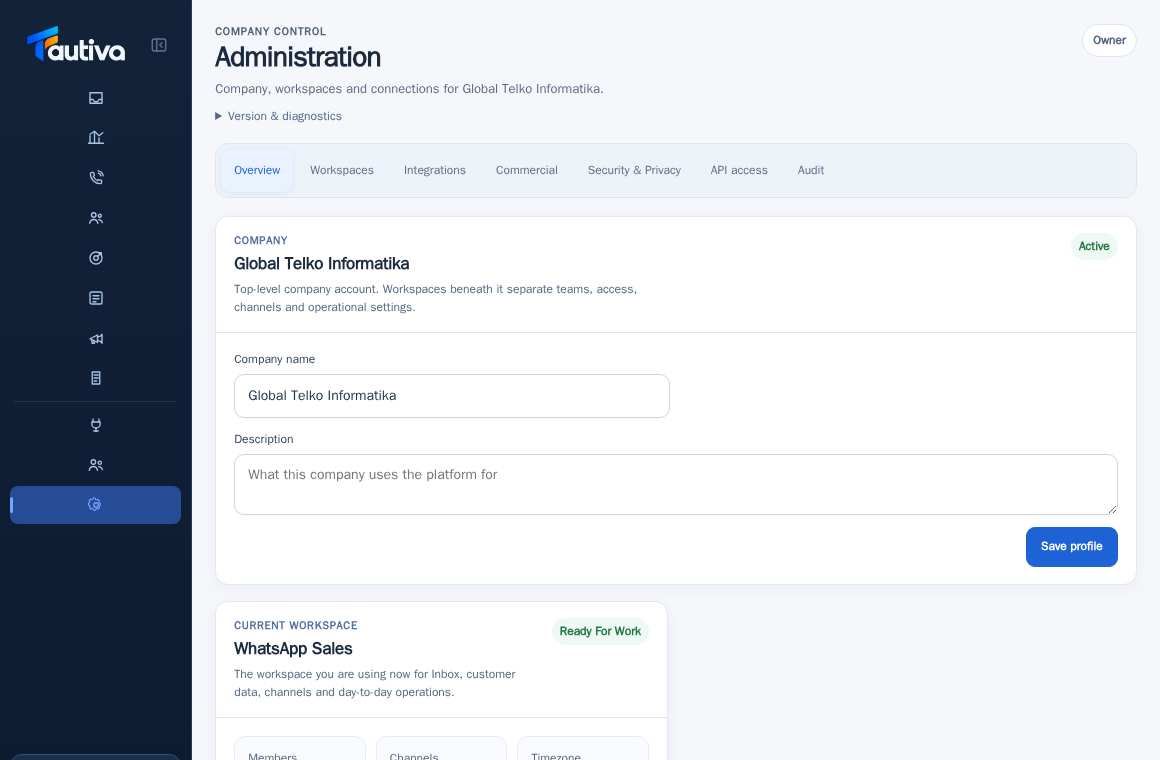
Expected result
You know the location of the available AI panel, the type of settings, and when to request platform configuration.
Important notes
- The AI Assistant panel has been found in the product source, but has not been proven to be active in all workspaces. This guide is not proof that AI is ready to use.
- API key/provider credential cannot be filled in through the checked tenant panel; Provider is read-only and credentials are stored in platform runtime management.
- Billing, payment, and widgets still require separate checks after the feature is fully activated.
If something goes wrong
- Feature not available? Avoid making up configurations; contact the platform administrator.
This guide describes the interface reviewed on 13 October 2026. Documentation testing did not send real messages, invite users, process payments, or modify real customer records.